Describe the music.
“Warm minor ninths, late-night house.” Give Chordy a mood, a style, or a scene. Then keep talking: “More space,” “a darker third chord,” “leave the ending open.”
 CHORDYFree download ↓
Chordy 1.1.0 · Free forever
A moody loop. A lift before the drop. That chord you can almost hear. Chordy gives you somewhere to start—and a whole instrument’s worth of ways to explore.
macOS · AU / VST3 / Standalone · v1.1.0
Choose your AI and bring your own API key, or explore the built-in library offline. All musical tools are included.
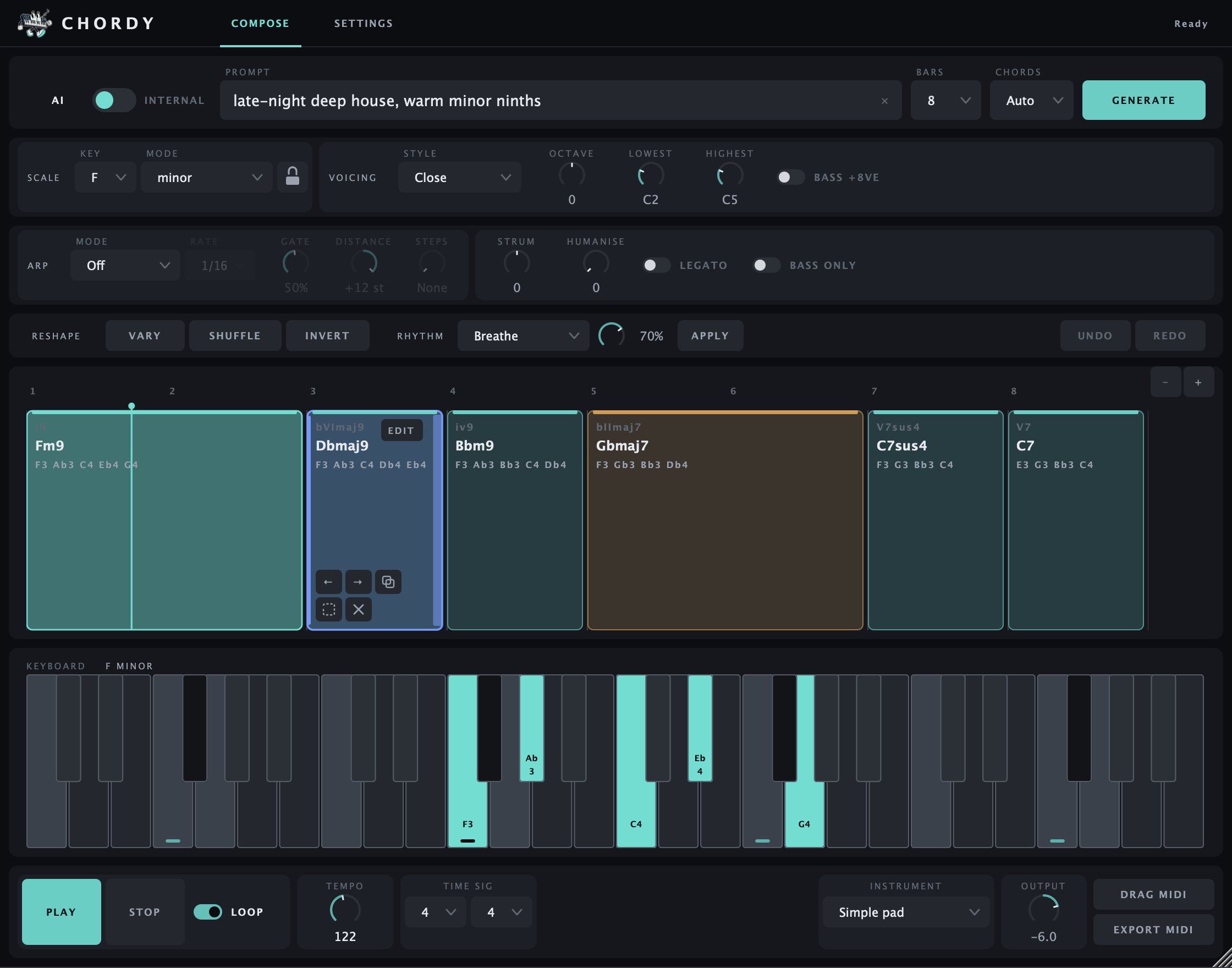
From a feeling to something you can play
“Warm minor ninths, late-night house.” Give Chordy a mood, a style, or a scene. Then keep talking: “More space,” “a darker third chord,” “leave the ending open.”
Hear a borrowed chord between its neighbours. Open up a voicing. Make a pad ripple with an arpeggio. Try the change before you commit to it.
Drag the MIDI into your DAW, play it through your favourite synth and carry on. The notes, their timing and the next decision are all yours.
Hear it in action
Chords make more sense when you can hear where they lead. These short Chordy demos give you a feel for the starting points—and the turns you can take from there.
A playlist by Kandel on SoundCloud.
This loads SoundCloud’s player. SoundCloud may use cookies and receive information about your visit. Privacy details.
New in 1.1 · Explore
A minor iv for a little heartbreak. A suspended dominant to hold the tension. Explore offers alternatives that fit the chords around them, with a short explanation of what each one brings.
Click to hear one. Hear it in context. Replace it when it feels right. This part is entirely local: no AI call, key or connection.
Meet chord exploration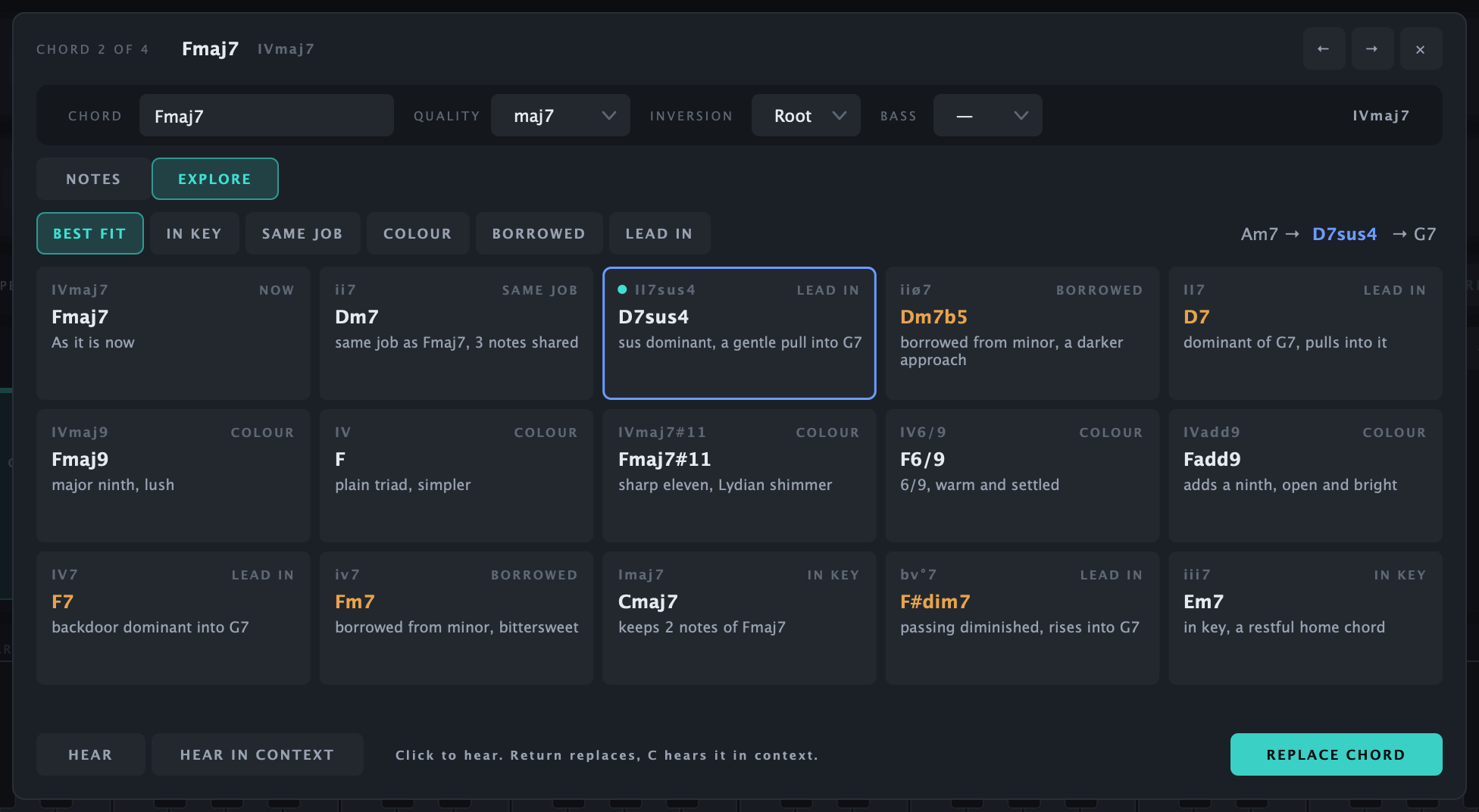
A musical tool with room to get curious
Chordy brings an open-ended prompt, local voice leading, explained chord alternatives and detailed note editing into one place. An idea can start with AI, a classic progression, or your own edits—and end up somewhere quite different.
The AI suggests chord names. Chordy’s own music engine checks them and finds how the notes move from one chord to the next. You can hear, change and export the result.
See the musical tools
A note from Matthias · Swimming In The Sea
I make electronic music, but I’m not classically trained. I often know the feeling I’m after before I know which notes will get me there.
I enjoy Ableton’s stock generators. I also wanted to be able to describe an idea in my own words, then explore the harmony in more detail: why a chord fits, what else could go there, how one note changes the whole feeling.
That’s the opportunity I saw in AI—as a source of inspiration I could play with. The listening, shaping and making are still the part I care about.
Chordy grew out of that. I’m happy to give the BYOK version away for free, and it will stay free. If it helps you find something for your next track, that’s a good outcome.
Tell me how you’re using itYour AI, your choice
Gemini, Claude, OpenAI, OpenRouter, Ollama Cloud or a local Ollama model. Chordy is provider-agnostic. Cloud AI uses your own account and API key, with any charges or limits set by that provider.
The progression library, Explore, editing and performance tools work without AI. Chordy BYOK is free forever; AI usage isn’t bundled into the download.
Providers and setup