Vary
Try a chord that does a similar musical job: a borrowed colour, a passing pull, a different route home.
 CHORDYFree download ↓
The app & plugin · Chordy 1.1.0
Chords have a shape, a weight, a way of leaning into the next one. Chordy gives you the tools to hear those differences and follow the ones that feel like your music.
01 / Starting points
Describe a mood, a genre or a scene in AI mode. Chordy takes that harmonic idea, checks the chord names and voices the notes locally, with attention to how they move between chords.
Then steer it: “Keep the opening, make the ending unresolved.” Or start in Internal mode with one of 43 named progressions, from a Dorian vamp to an Andalusian cadence. Generate again for a variation of the same shape.
You don’t need an AI account to use the library—or anything that follows.


02 / Explore · New in 1.1
Open a chord’s Explore tab and browse alternatives in six families: Best fit, In key, Same job, Colour, Borrowed and Lead in. Each suggestion has a short reason, and each can be heard between the chords either side.
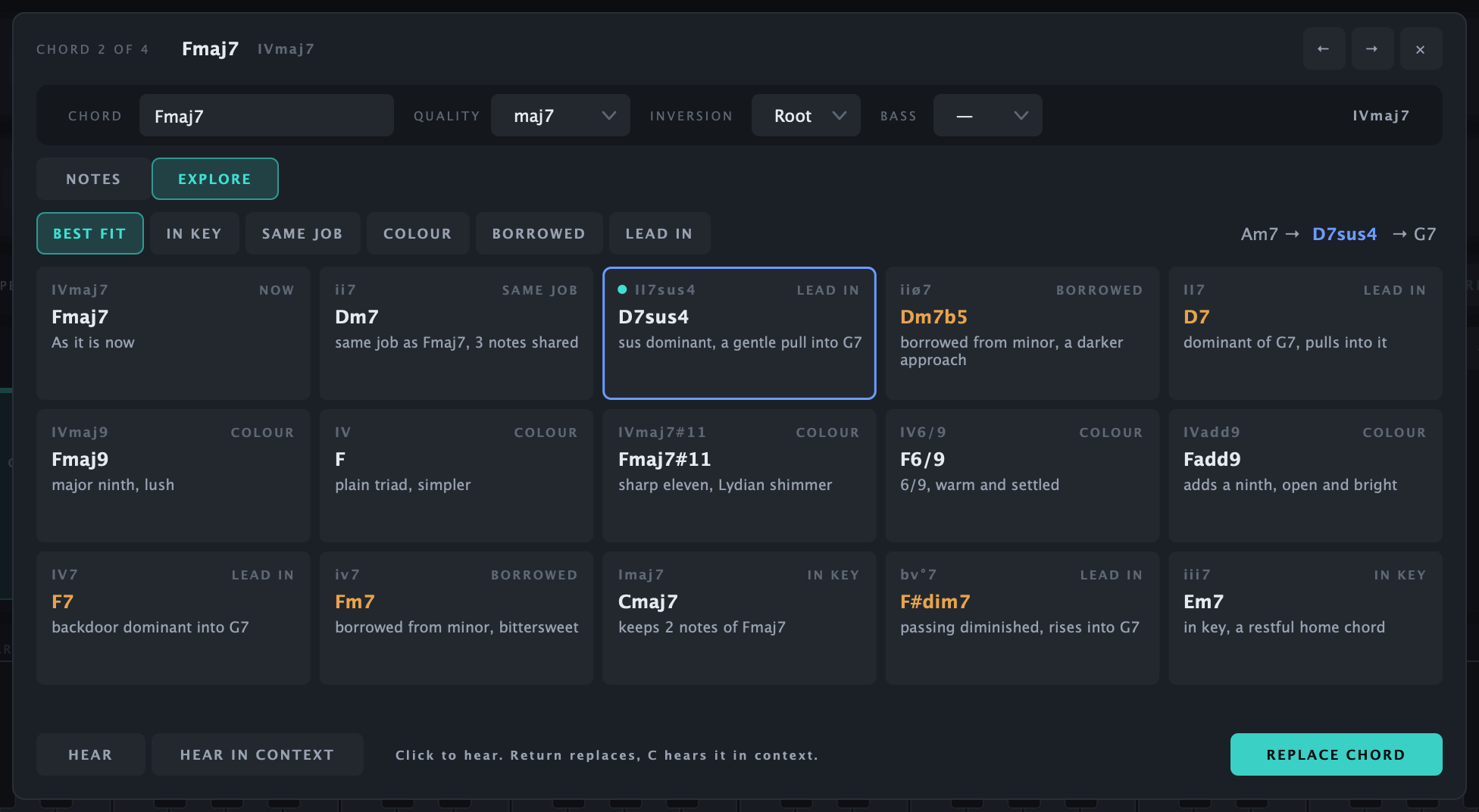
Follow a sound. “Borrowed from minor, bittersweet” gives you a musical reason to try a chord, even if its name is unfamiliar.
Keep your place. Auditioning changes nothing. The original chord stays one click away until you replace it.
Stay in the session. Suggestions come from Chordy’s local theory engine. They work offline and never use your AI allowance.
03 / Reshape
Sometimes you want another take without starting over. Reshape works on the progression you already have, and every change can be undone.

Try a chord that does a similar musical job: a borrowed colour, a passing pull, a different route home.
Reorder the middle while keeping the opening and cadence. Hear the same chords tell a different story.
Move to the next inversion. The harmony stays recognisable, but the spacing and top line change.
Let chords breathe or push towards a cadence. Reshape their lengths with patterns and an amount control.
04 / The chord editor
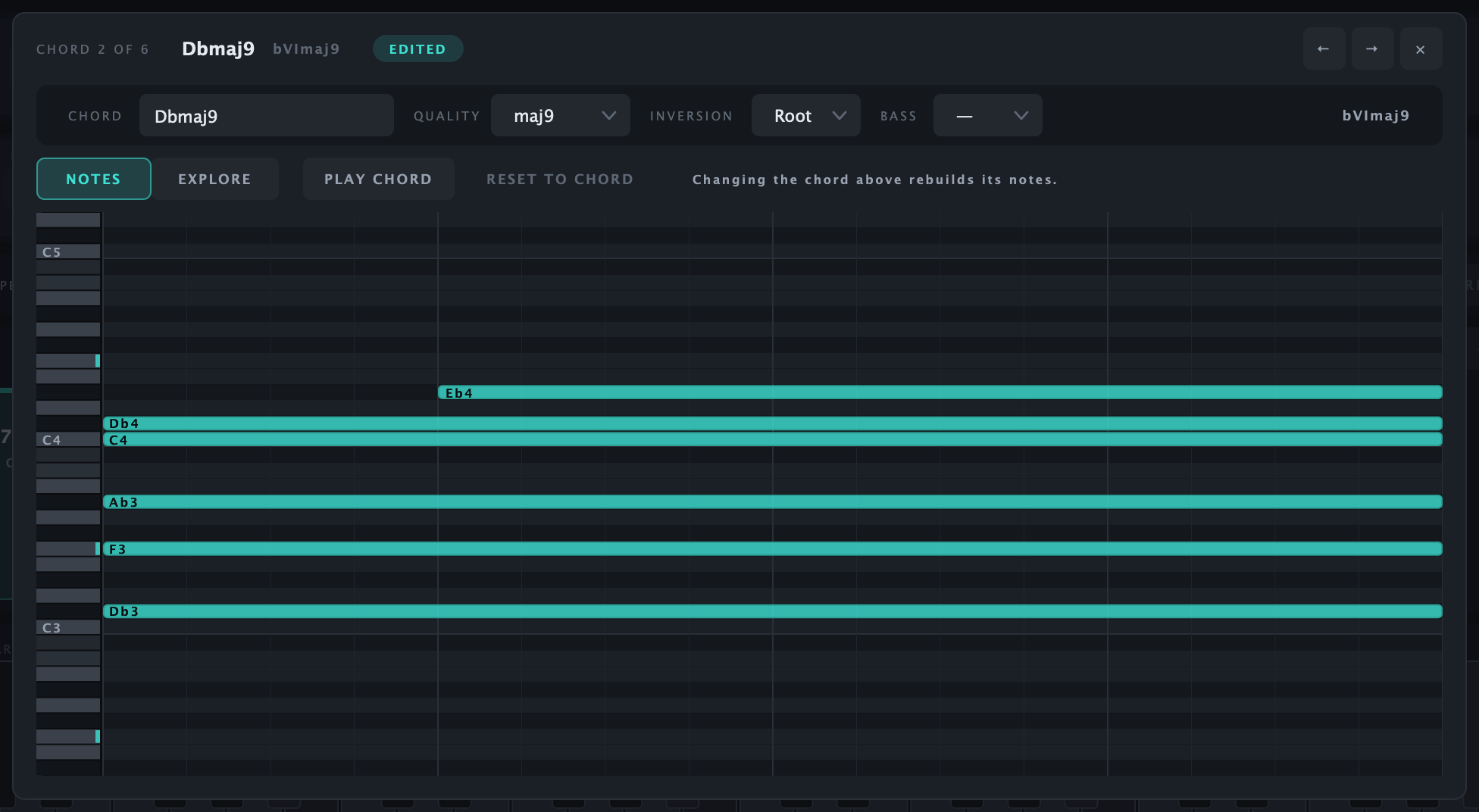
Double-click a chord to get inside it. Change the symbol, inversion or bass note, enter a Roman numeral, or place notes directly in its piano roll.
Move a note up an octave, bring it in late, let it hang over. Chordy recognises the new chord where it can, and preserves your hand-placed notes. Your next edit starts from what you actually played.
On the timeline, drag to reorder, stretch a chord, duplicate a favourite or leave a rest. Undo is always there.
05 / Creative playback
Hold the harmony steady and change how it feels. These controls affect playback and exported MIDI, so the idea you hear carries into the track.

Turn a chord into a pattern. Choose direction, rate, gate, distance and octave steps—from a gentle pulse to a quick run.
Let notes arrive one after another, up or down. A held chord becomes a small gesture.
Loosen timing and velocity, or let chords ring into each other. The humanised feel repeats consistently with your loop.
Hear the roots or slash-bass notes on their own. Export the chords, switch Bass only on, then export a matching bass part.
06 / Built-in synth
Chordy’s built-in synth lets you audition immediately. Choose Simple pad, Organ, Slow pad, Electric piano or Strings; Bass only mode adds a dedicated Bass voice.
Try the same voicing as a soft pad and an electric piano. The preview sounds give you a way to listen while the idea is forming; the exported MIDI can play any instrument in your DAW.

07 / Into your session
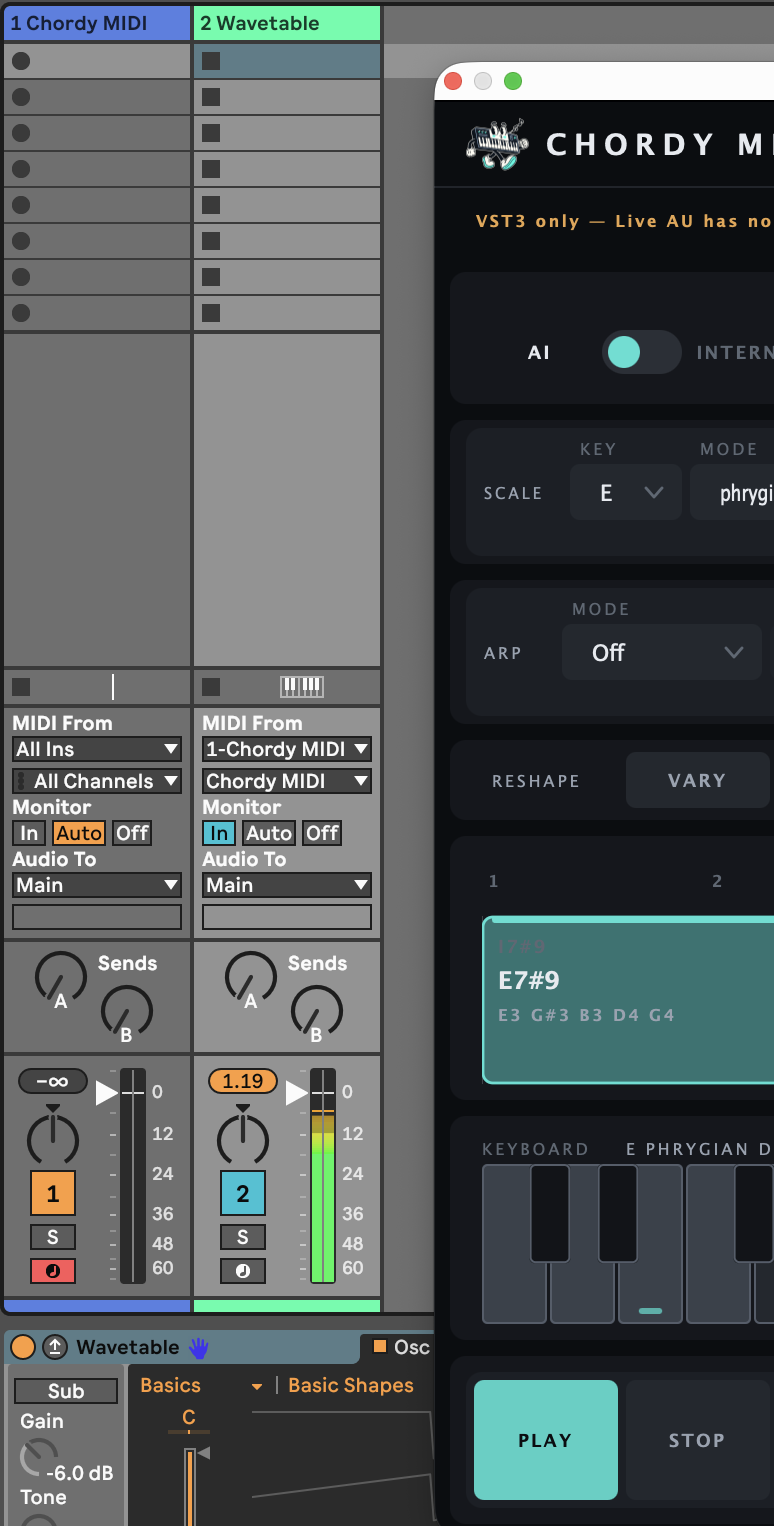
Use Chordy as an AU or VST3 instrument, run Chordy MIDI into another synth, or sketch in the standalone Mac app. Drag MIDI into your arrangement or export a file. Projects retain your voicings and note edits.
Tested in Ableton Live 12. Other AU/VST3 hosts have not yet been verified.
Load the VST3 version on a MIDI track. Put your instrument on a second track, select Chordy MIDI in both MIDI From menus, and set Monitor to In. Live’s AU plugins cannot send MIDI out.
Follow the routing guide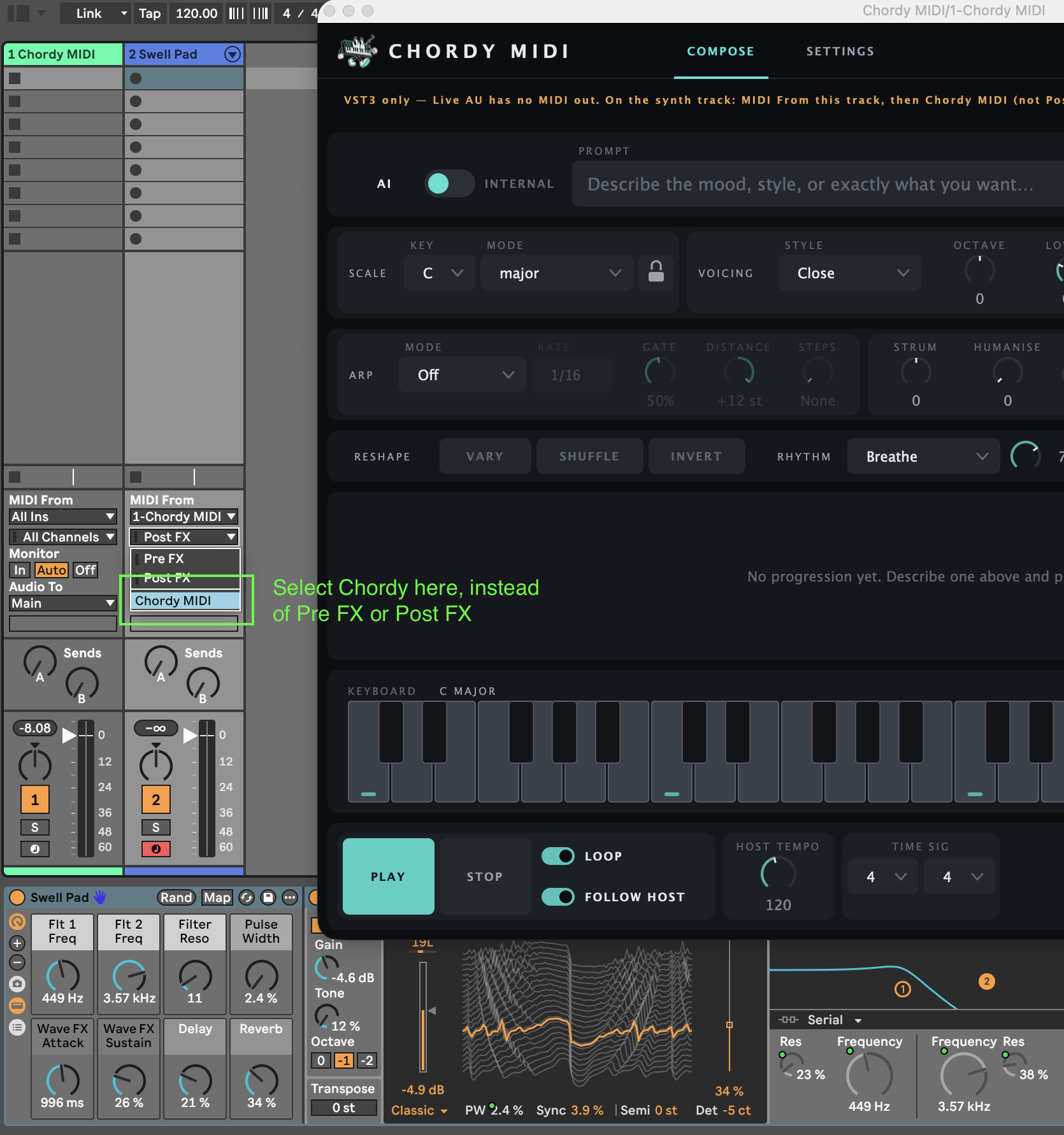
Your AI, your choice
Chordy is AI-agnostic. Choose which provider supplies your starting ideas, then use the same musical tools to shape them.
BYOK means bring your own key. For cloud AI, connect your own provider account and API key; that provider sets any usage charges and limits. AI usage isn’t included in the free download.
The library, Explore, editing, performance tools and MIDI export are all included. Local Ollama needs no API key, and Internal mode needs no AI at all.
The model suggests chord names; voicing happens on your Mac. Your key stays out of projects and presets, and providers are contacted only when you generate or test a connection.
Connect your providerChordy 1.1.0 · macOS · Instrument, MIDI plugin and standalone app.