 CHORDYFree download ↓
Quick-start manual
Your first
progression.
Everything you need for your first progression. The full illustrated manual goes deeper into every control.
Download the full manual ↓Chordy 1.1.0 · PDF · 5.4 MB
01 Install & open
Copy the AU files into ~/Library/Audio/Plug-Ins/Components/ and VST3 files into ~/Library/Audio/Plug-Ins/VST3/. Rescan plugins in your DAW, then load Chordy on a MIDI track.
Or open the standalone Mac app to sketch without a DAW.
02 Make your first progression
Switch to Internal, choose a named progression and press Generate, then Play. Generate again for a variation.
For AI, choose a provider in Settings and connect your key. Switch to AI, describe what you want and press Generate.
03 Connect your choice of AI
In Settings, choose your provider and use Get a key to open its key page. Create an API key in your own provider account, paste it into Chordy and test the connection. API access and billing are managed by that provider.
A ChatGPT or Claude chat subscription does not supply an API key or API credit. For those providers, set up API access separately.
For Ollama on your Mac, install and run Ollama with a model, then choose the local Ollama provider in Chordy. No API key is required. Internal mode needs neither a provider nor a key.
04 Make it yours
Use Vary for harmonic alternatives, Shuffle to reorder the middle, Invert for another voicing and Rhythm for new chord lengths.
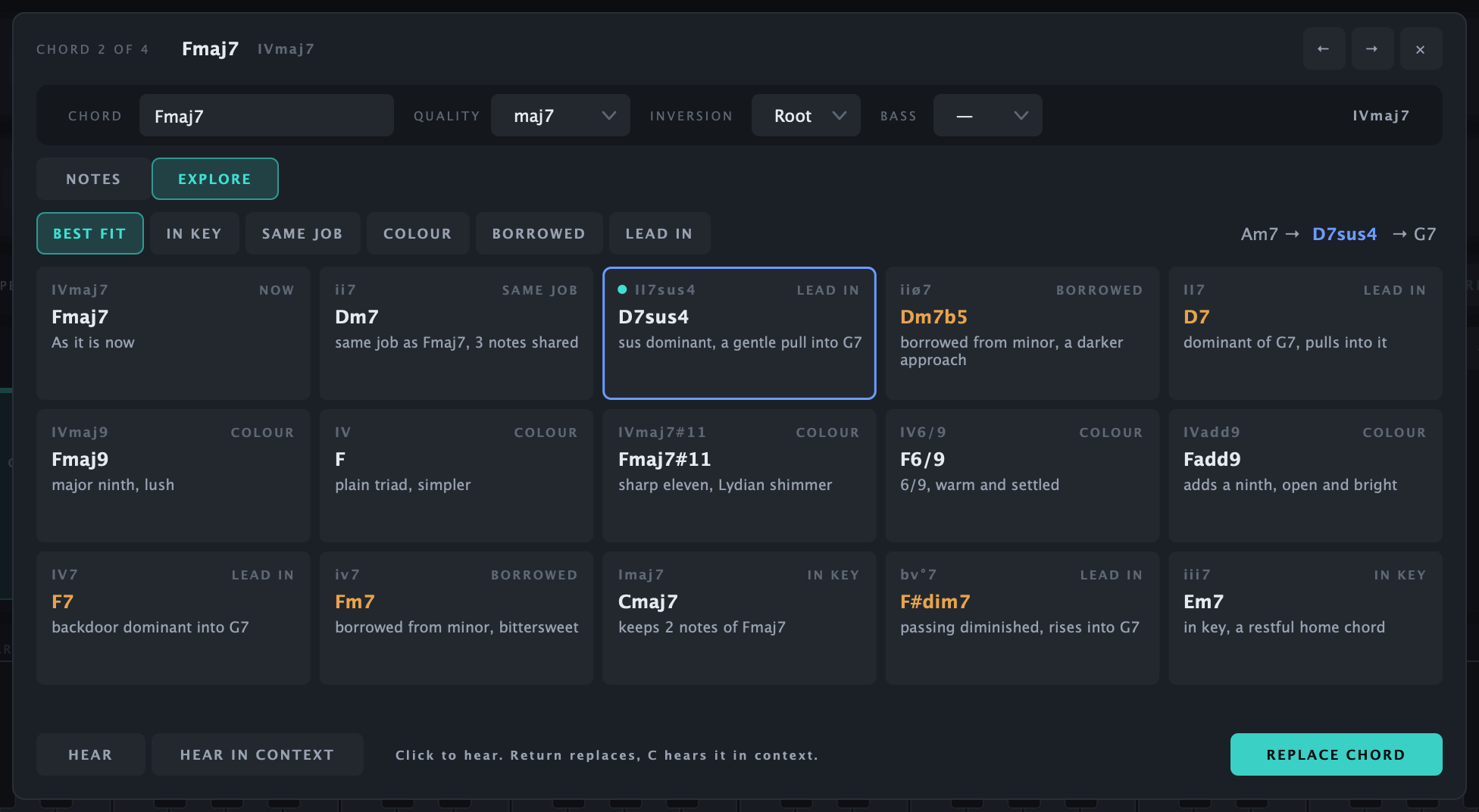
Double-click a chord to edit its symbol or individual notes. Open Explore for alternatives grouped by musical role: Best fit, In key, Same job, Colour, Borrowed and Lead in. Hear a suggestion alone or in context, then choose Replace when it feels right. Explore works offline and supports Undo.
Arp, Strum, Humanise and Legato change how the chords play.
05 Get the MIDI into your DAW
Drag Drag MIDI onto a MIDI track, or export a MIDI file.
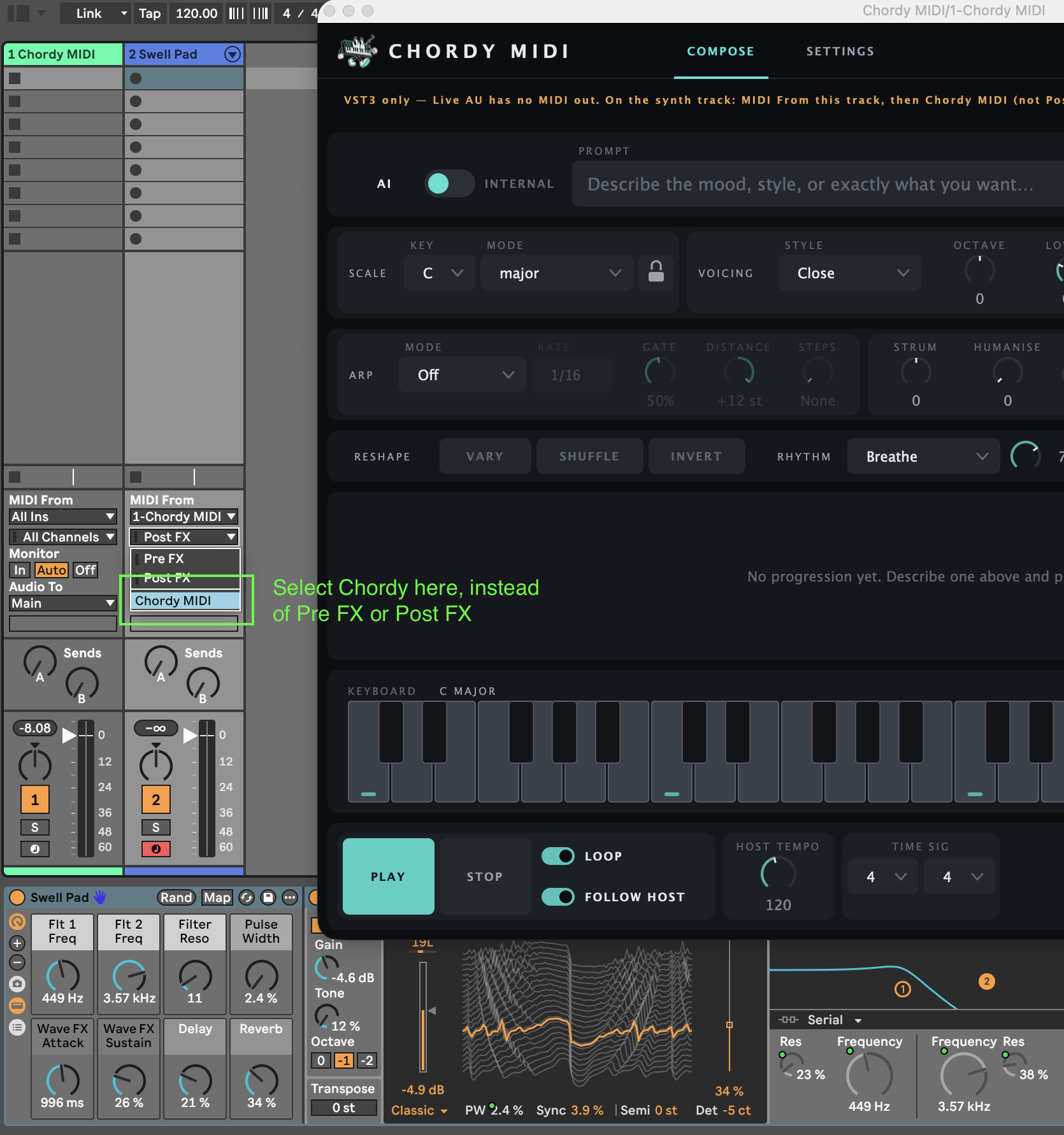
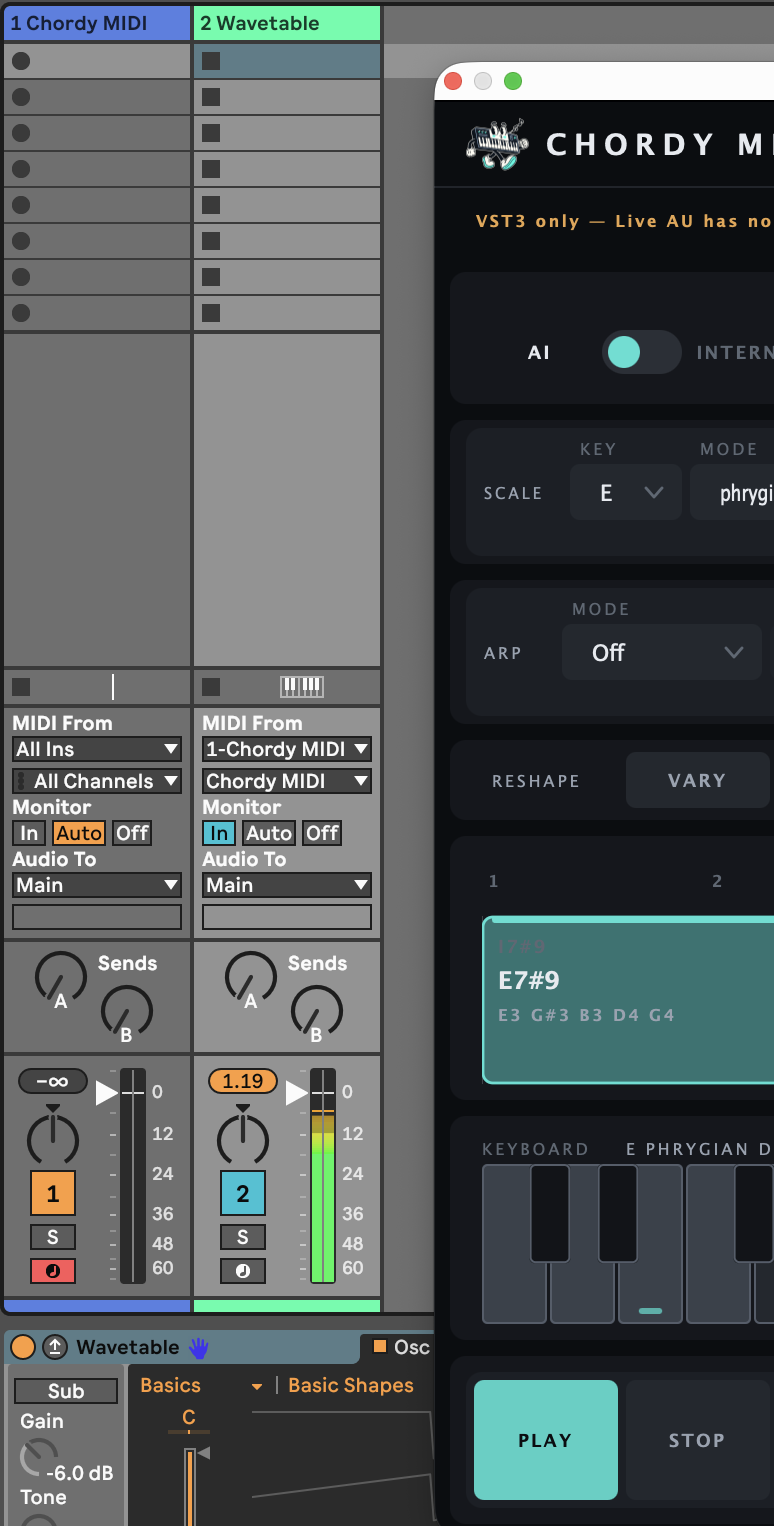
To play another instrument live in Ableton, put the VST3 of Chordy MIDI on one track and the instrument on another. Live’s AU plugins can’t send MIDI out. Set the instrument’s MIDI From to the Chordy MIDI track, its second menu to Chordy MIDI (not Pre FX or Post FX), and Monitor to In.
06 If something gets stuck
Plugin missing? Check the files were copied into the right folders and rescan. No AI result? Check the provider, key and your account’s API allowance. For local Ollama, make sure Ollama is running.
You can always keep exploring in Internal mode. Never include an API key in a support message.